Removing Products from an Order Group
Products can be removed from an Order Group and restored to their previous individual reorder method and parameters. After a product has been removed from an Order Group, the Order Group icon  and button
  are no longer visible in the Drug Folder Inventory tab. Any user type has the permissions to remove a product from an Order Group.
To remove a product from an Order Group:
-
Open the Drug Folder for one of the products in the Order Group. This can be the product you wish to remove or the other products in the Order Group.
-
In the Inventory tab, under the Packs Available section, select a pack size that belongs to the Order Group.
-
Under the Pack Detail section, select the Order Group button
on the bottom right. 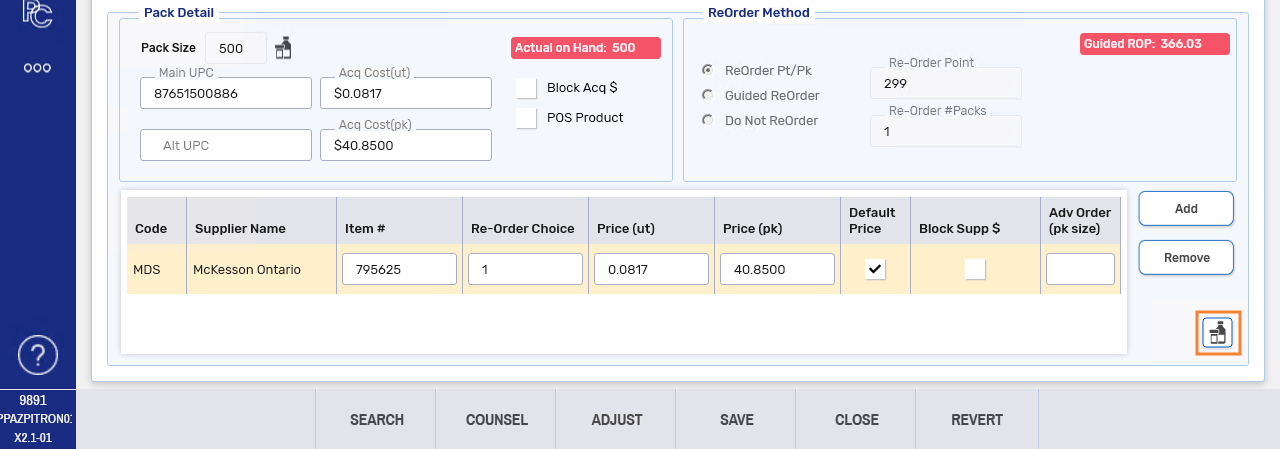
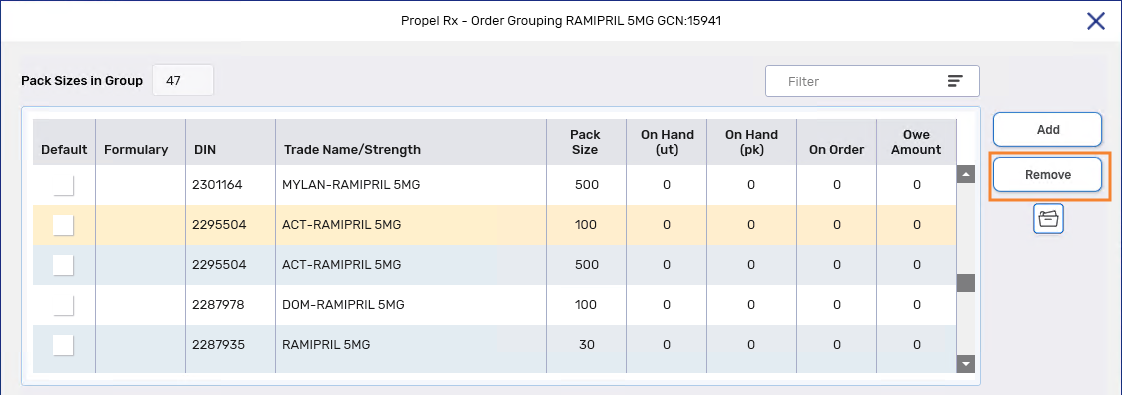
The Order Grouping window opens.
-
Select the product you wish to remove. If you wish to remove multiple products with the same DIN (i.e., different pack sizes), select only one pack size. A prompt in step 6 will allow you to remove multiple pack sizes for the same DIN at once.
Locate the product quickly by searching for its DIN, Trade Name, or Strength in the Filter field.
-
Select Remove.
-
If multiple pack sizes for the selected DIN are part of the Order Group, the Order Grouping Remove window opens listing all these pack sizes. Select the checkboxes for the pack sizes you wish to remove from the Order Group. If all pack sizes should be removed, use the Select All checkbox.
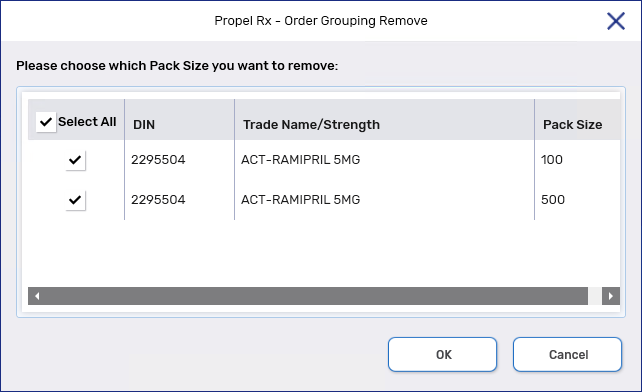
-
Select OK. The pack size(s) is removed from the Order Group.
-
Select Save then Close.
-
Removals from the Order Group are recorded in the Drug Folder History tab for the drug that was removed.
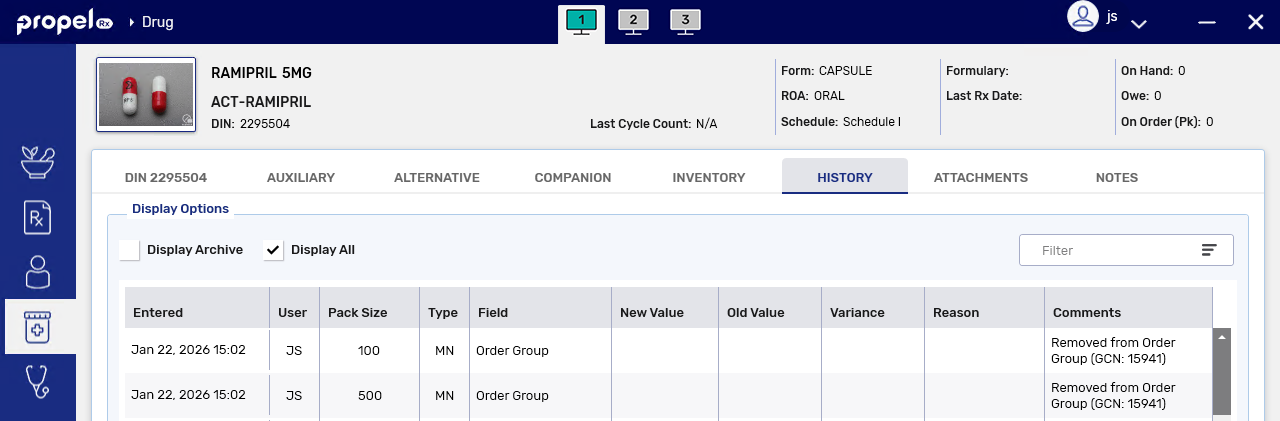
-